
Quizine Trivia
Serving your trivia on a platter
Role
UX Designer
Web Developer
Timeline
3 weeks
Team
Solo
Tools
Figma
React
Firebase
Summary
This application is my final project for one of my coding classes where the goal was to learn how to build interactive and accessible web applications.
During my time developing this application I posed as both UX Designer and Web Developer in order to create a useful, usable, equitable, and enjoyable final product.
What is Quizine Trivia?
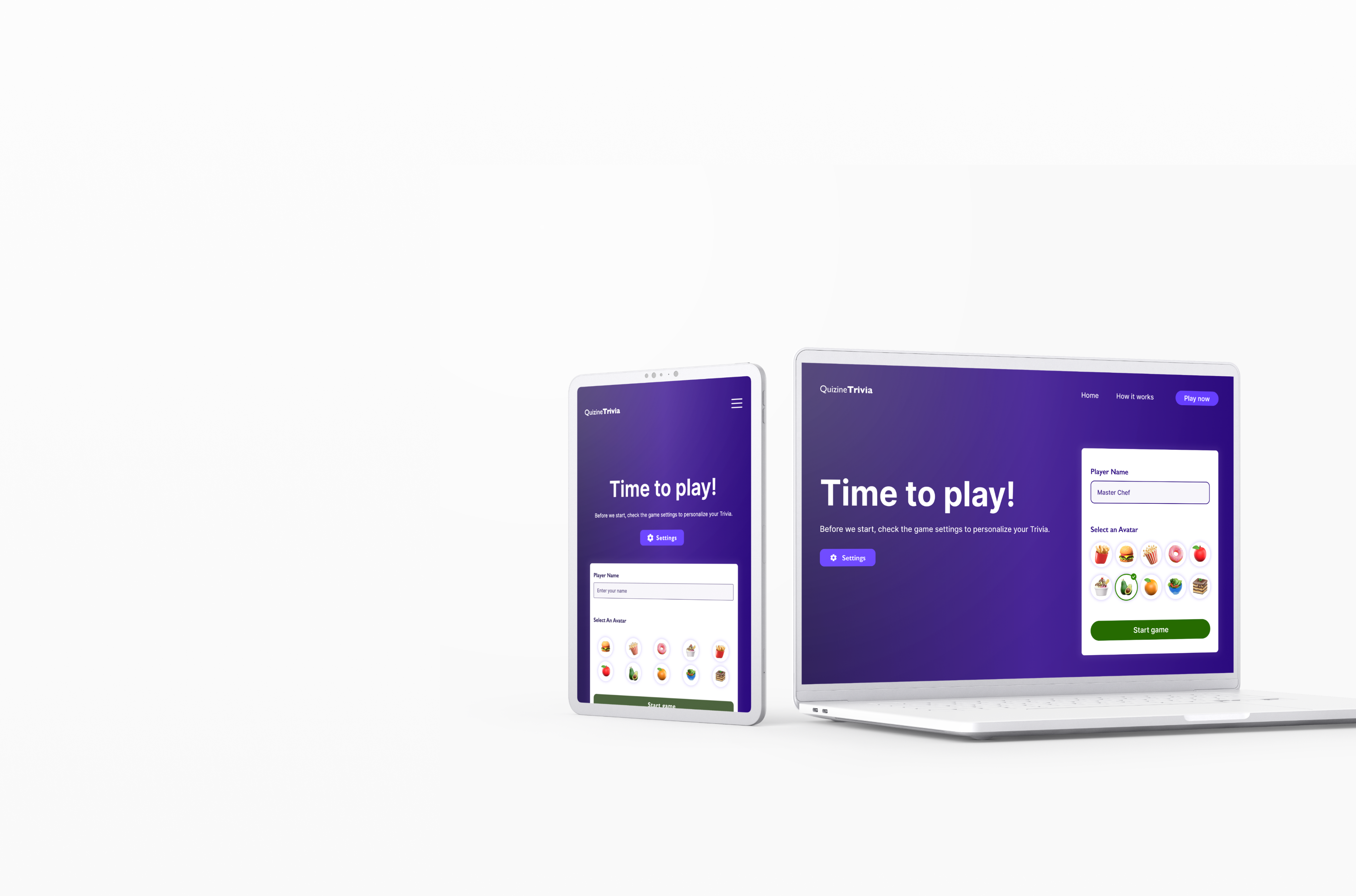
Quizine Trivia was envisioned and designed to be a responsive trivia website that allows users to personalize their experience.
Design & Development Process

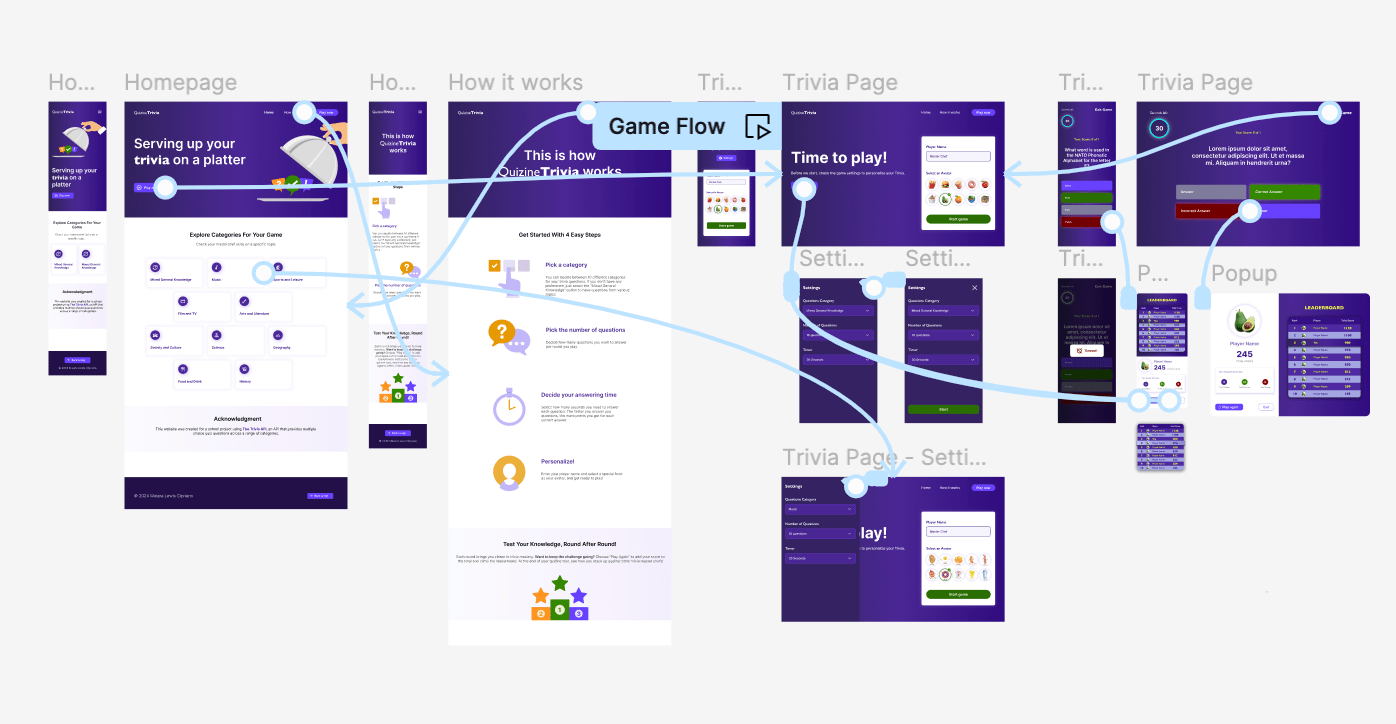
During the creation process I focused on defining functionality requirements that would give users control over their game.
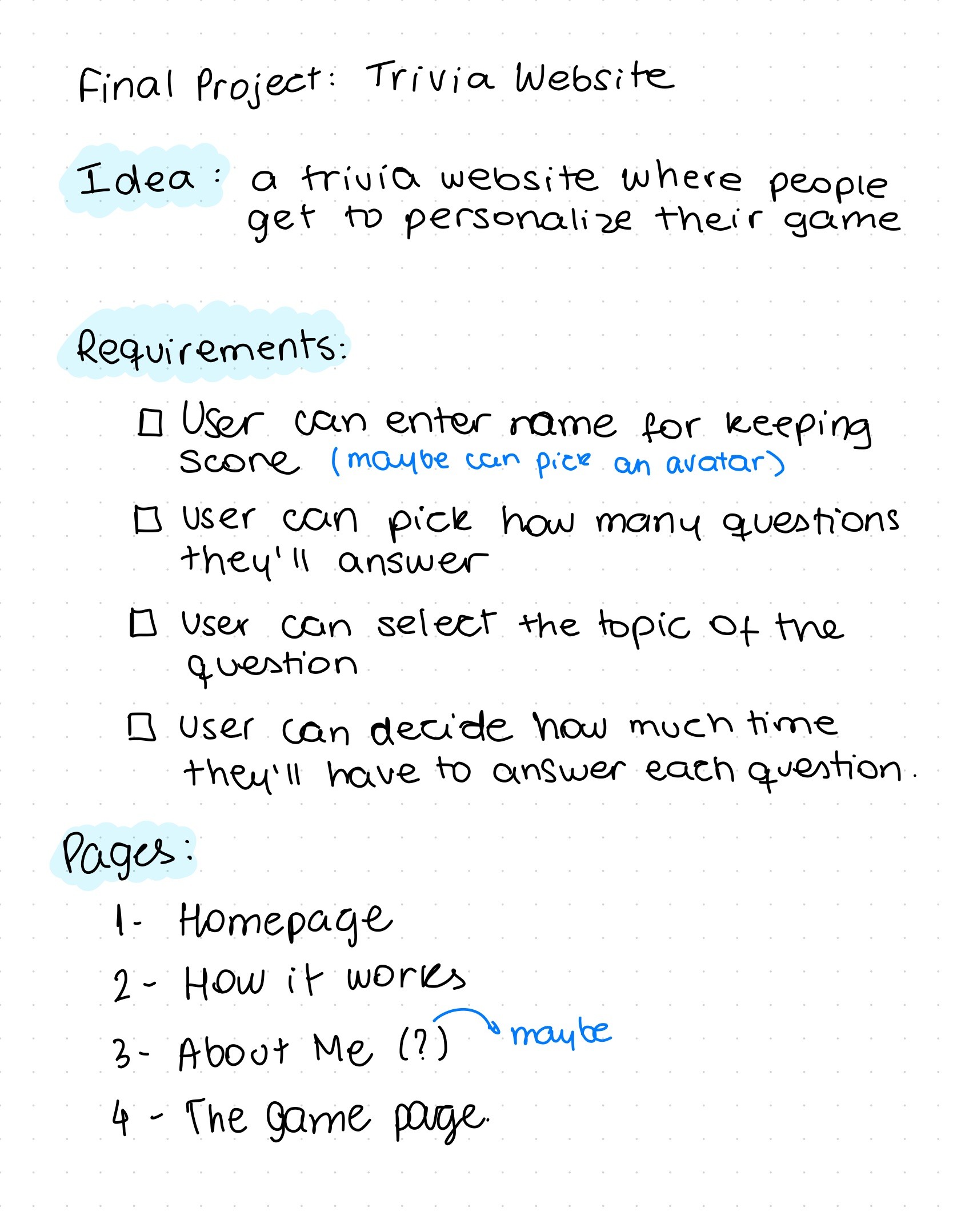
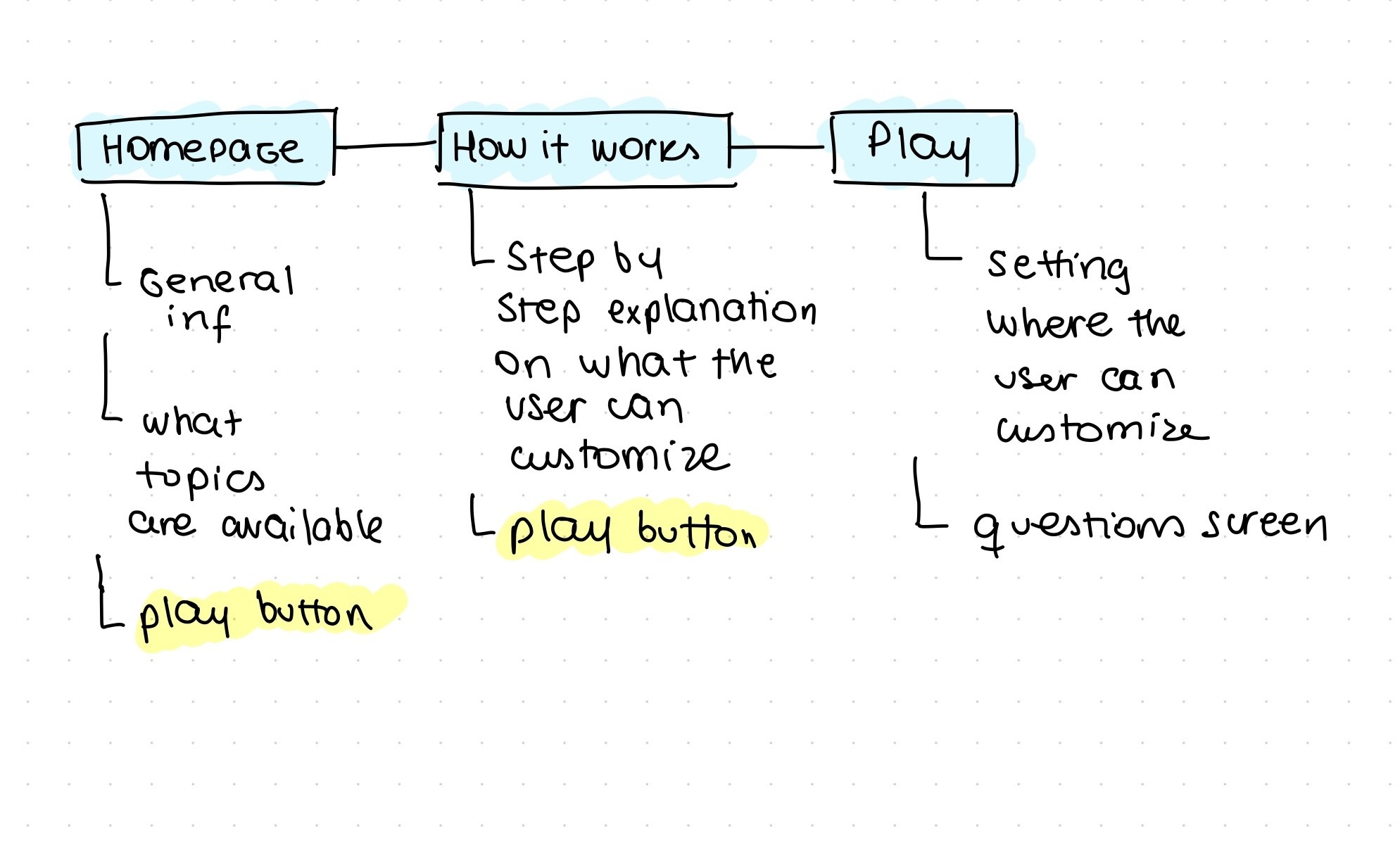
After understanding the class criteria for the project to be accepted, I brainstormed and defined Quizine Trivia’s main features
- Selection of the trivia topic, number of questions, and the timer length.
- Prompt to add player name and select avatar.
- Up to date leaderboard with the top 10 best results
Design Concept
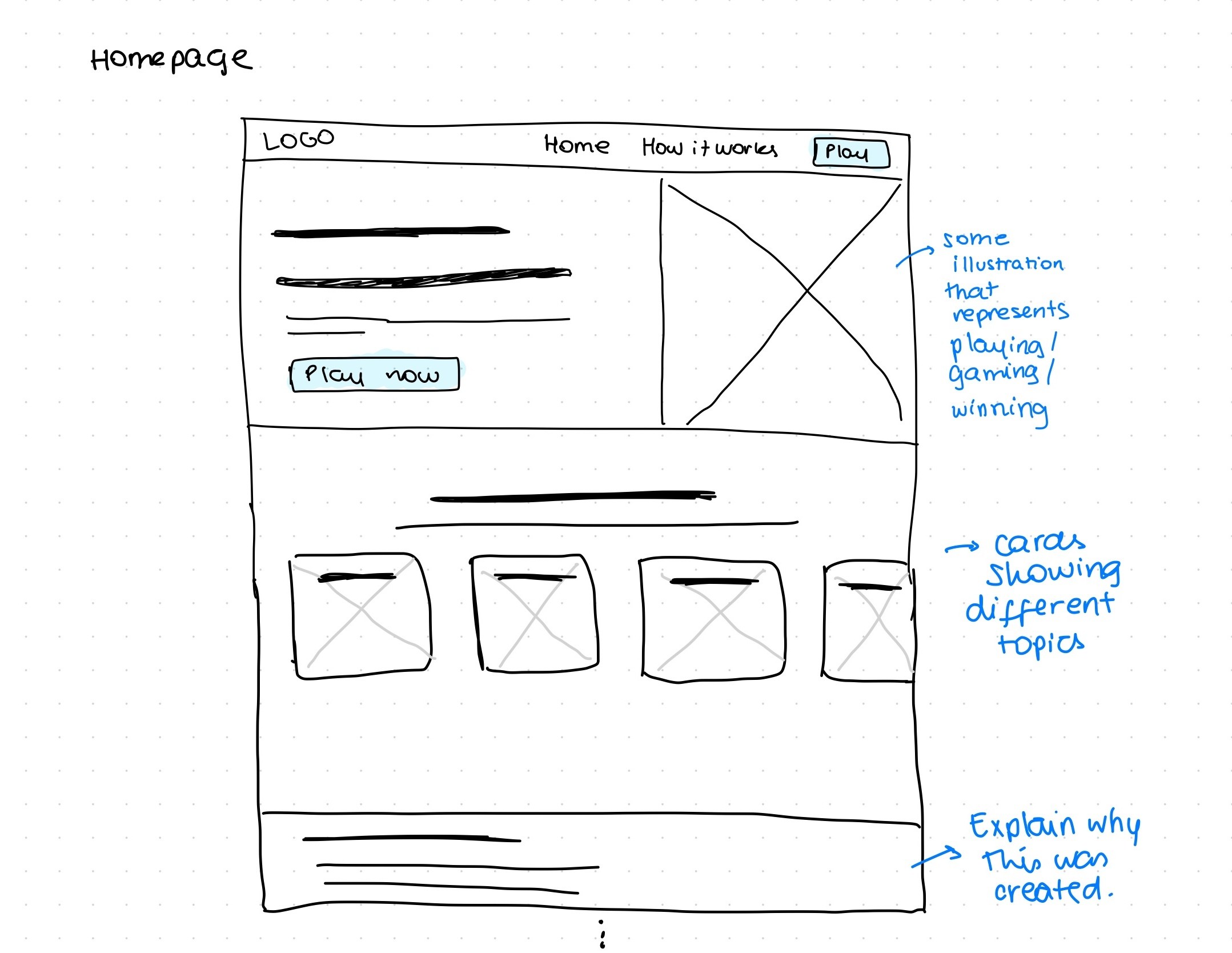
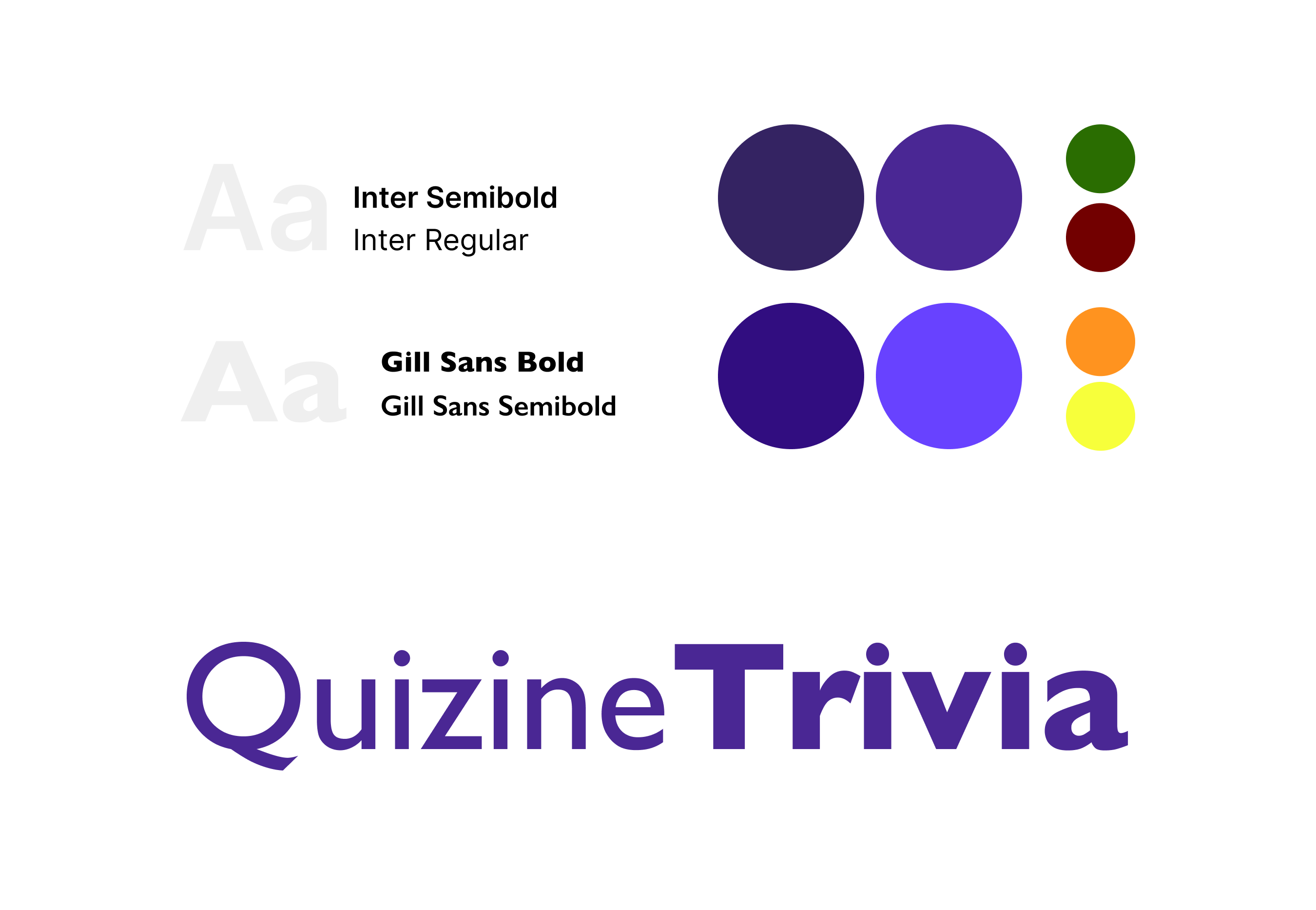
While sketching and wireframing to build a product with a recognizable visual identity, I made careful decisions with accessibility in mind.
Development
During the development process, I used React to create a fully interactive and responsive web application. Using Google’s Firebase, I was able to store each game data and retrieve the most recent information to create an updated leaderboard with the top 10 best scores.
In terms of accessibility, I focused on following best practices, for example the correct use of semantic tags, to ensure a smooth experiences for users using screen readers. Additionally, I also ran automated and manual accessibility tests on visual elements (color contrast, font size, etc) and certified all actionable items on the website could be accessed through keyboard navigation.
Final Designs
Live Application
Both the live website and source code are available for viewing
↗️ Access the live website and play some trivia
↗️ Access the source code on Github
Quizine Trivia
Serving your trivia on a platter
Role
UX Designer
Web Developer
Timeline
3 weeks
Team
Solo
Tools
Figma
React
Firebase
Summary
This application is my final project for one of my coding classes where the goal was to learn how to build interactive and accessible web applications.
During my time developing this application I posed as both UX Designer and Web Developer in order to create a useful, usable, equitable, and enjoyable final product.
What is Quizine Trivia?
Quizine Trivia was envisioned and designed to be a responsive trivia website that allows users to personalize their experience.
Design & Development Process
During the creation process I focused on defining functionality requirements that would give users control over their game.
After understanding the class criteria for the project to be accepted, I brainstormed and defined Quizine Trivia’s main features
- Selection of the trivia topic, number of questions, and the timer length.
- Prompt to add player name and select avatar.
- Up to date leaderboard with the top 10 best results
Design Concept
While sketching and wireframing to build a product with a recognizable visual identity, I made careful decisions with accessibility in mind.
Development
During the development process, I used React to create a fully interactive and responsive web application. Using Google’s Firebase, I was able to store each game data and retrieve the most recent information to create an updated leaderboard with the top 10 best scores.
In terms of accessibility, I focused on following best practices, for example the correct use of semantic tags, to ensure a smooth experiences for users using screen readers. Additionally, I also ran automated and manual accessibility tests on visual elements (color contrast, font size, etc) and certified all actionable items on the website could be accessed through keyboard navigation.
Final Designs
Live Application
Both the live website and source code are available for viewing
↗️ Access the live website and play some trivia
↗️ Access the source code on Github
Quizine Trivia
Serving your trivia on a platter
Role
UX Designer
Web Developer
Timeline
3 weeks
Team
Solo
Tools
Figma
React
Firebase
Summary
This application is my final project for one of my coding classes where the goal was to learn how to build interactive and accessible web applications.
During my time developing this application I posed as both UX Designer and Web Developer in order to create a useful, usable, equitable, and enjoyable final product.
What is Quizine Trivia?
Quizine Trivia was envisioned and designed to be a responsive trivia website that allows users to personalize their experience.
Design & Development Process
During the creation process I focused on defining functionality requirements that would give users control over their game.
After understanding the class criteria for the project to be accepted, I brainstormed and defined Quizine Trivia’s main features
- Selection of the trivia topic, number of questions, and the timer length.
- Prompt to add player name and select avatar.
- Up to date leaderboard with the top 10 best results
Design Concept
While sketching and wireframing to build a product with a recognizable visual identity, I made careful decisions with accessibility in mind.
Development
During the development process, I used React to create a fully interactive and responsive web application. Using Google’s Firebase, I was able to store each game data and retrieve the most recent information to create an updated leaderboard with the top 10 best scores.
In terms of accessibility, I focused on following best practices, for example the correct use of semantic tags, to ensure a smooth experiences for users using screen readers. Additionally, I also ran automated and manual accessibility tests on visual elements (color contrast, font size, etc) and certified all actionable items on the website could be accessed through keyboard navigation.
Final Designs
Live Application
Both the live website and source code are available for viewing
↗️ Access the live website and play some trivia
↗️ Access the source code on Github